








Best Website Builder
I test every website builder so you don’t have to. These are my rankings of the best website builders for 2026.
Our work is supported by affiliate commissions. Learn More
Our work is supported by affiliate commissions. Learn More
I’ve published my rankings of the best website builders every year since 2014.
Year upon year, including this time, Squarespace and Shopify have proved to be the top website builders. Wix and Webflow have followed closely each time, including in 2026. [And inevitably, many have lost their rankings, and some have disappeared into oblivion.]
This is your ultimate guide—and my rankings—to the best website builder in 2026.
I’ve interviewed hundreds of real-life users, manage several websites made with website builders, and have personally tested all website builders in this guide (and many, many more).
My websites have been featured on HuffPost, Forbes, CNET, The Next Web, and more.
Let’s get started…
Best all-around website builder.
Best for online stores.
Great for users who want control.
Powerful design tool with a learning curve.
Great for one-page websites.
A competitor to Webflow.
Awesome editor but with basic features.
Super-customizable one-page website builder with some flaws.
An ambitious design tries to mix customization and ease of use.
Simple website builder — too simple.
The hosted WordPress website builder.
Primarily resold through other companies.
For ecommerce stores. Can be difficult to use.
Easy to use but too simple.
Clumsy and outdated.
A decent website builder for businesses using Hubspot, but it's way too expensive and buggy for the average user.
Very easy to use. But way too limited.
Very basic.
Poor themes and features.
It's improving, but not there yet.
Weebly was acquired by Square in 2019 and that changed everything.
Poor editor.
No longer being developed.
No longer being developed.
Don't bother.
Cancellation issues.
History of mistreating customers.
Terrible billing practices.
Squarespace is the best all-around website builder. It is an excellent choice for all types of websites: small businesses, bloggers, portfolios, online stores, and more.
In a sense, Squarespace is like the Apple of website builders — it’s intuitive and thoughtfully designed; all features are polished; the templates are beautiful; it’s a secure platform; and the editor is flexible and customizable enough to meet most people’s needs.
Squarespace is known for its clean, modern, and mobile-friendly templates. They have nearly 160 of them—all free, all beautiful. I think Squarespace has the best templates of any DIY website builder—\\look at them\
It’s not just beauty! Squarespace has lots of features—many of which are better and more powerful than competitors. For example, Squarespace has the best template customization, blogging, scheduling software, donation system, photo galleries, restaurant menus, podcasting features, and more. Squarespace also has Squarespace Extensions, a marketplace where you can find a select few third-party extensions to add functionalities to your site.
The new Squarespace editor, Fluid Engine (launched July 2022), lets you drag and drop blocks anywhere in a section. The blocks snap to an underlying grid. It’s much more customizable than its predecessor yet equally intuitive and easy to use. You can also edit the mobile website using the same editor (just switch to mobile view when editing)
Beyond websites, Squarespace also includes marketing and business tools for managing your online presence. For example: scheduling software, email marketing, social media tools, SEO tools, memberships, and more. Having all these tools managed by Squarespace means the integrations work seamlessly.
The most powerful ecommerce website builder is \Shopify— but Squarespace is easier to use. Squarespace’s ecommerce is a good alternative for users intimidated by Shopify and looking to build a small-mid-sized online store. \\Read our Squarespace vs Shopify comparison\.
Squarespace is like the Apple of website builders—it is intuitive and thoughtfully designed. There’s a certain focus on user experience, even with the tiny things. For example, Squarespace includes a handy tool that lets users adjust the focal point of an image. Another example: Squarespace elevates the page by placing the toolbar below, ensuring you have a full view of the web page when editing.
Squarespace offers 24/7/365 email support and live chat support from Monday to Friday, 4:00 AM to 8:00 PM ET. In my experience and from people I’ve chatted with, live chat support responds almost instantly and is well-versed. I also reached out to their email support a couple of times—they responded in under 30 minutes and gave excellent, detailed answers. In fact, one of the times, they shared a screen recording of them solving a problem on my test site—which was very helpful. They also have super-quick social media support—I was looking at the \@SquarespaceHelp Twitter replies, and they had replied to each relevant tweet in under an hour.
This shouldn’t be a point, but unfortunately, some website builders have misleading pricing (example: \Web.com). Squarespace does not have misleading pricing. You should expect that the advertised price is the same price you’ll find on your invoice. I appreciate that.
One way to make software easy to use is to make it simple and not very customizable. That’s not Squarespace. While Squarespace is not “difficult to use”, it does have too many features to be the \“easiest” website builder— the easiest website builder is \Square Online which is more simple but also less powerful. You should expect a small learning curve with Squarespace— similar to learning Microsoft Word or Google Docs for the first time.

Squarespace Overview (2:41)
Squarespace plans start at $16 per month on annual plans. There is no free plan, but they have a free trial—no credit card is required.
The base plan is perfect for non-business/non-ecommerce websites like personal sites, resume websites, portfolio websites, wedding websites, etc. It also includes ecommerce, but there’s a transaction fee. Therefore, we recommend you choose its Core plan or above, which starts at $23/month if you pay annually.
All annual plans include a free custom domain name for one year. 👍
Squarespace is my favorite tool for building websites. It’s also what I recommend to friends and family.
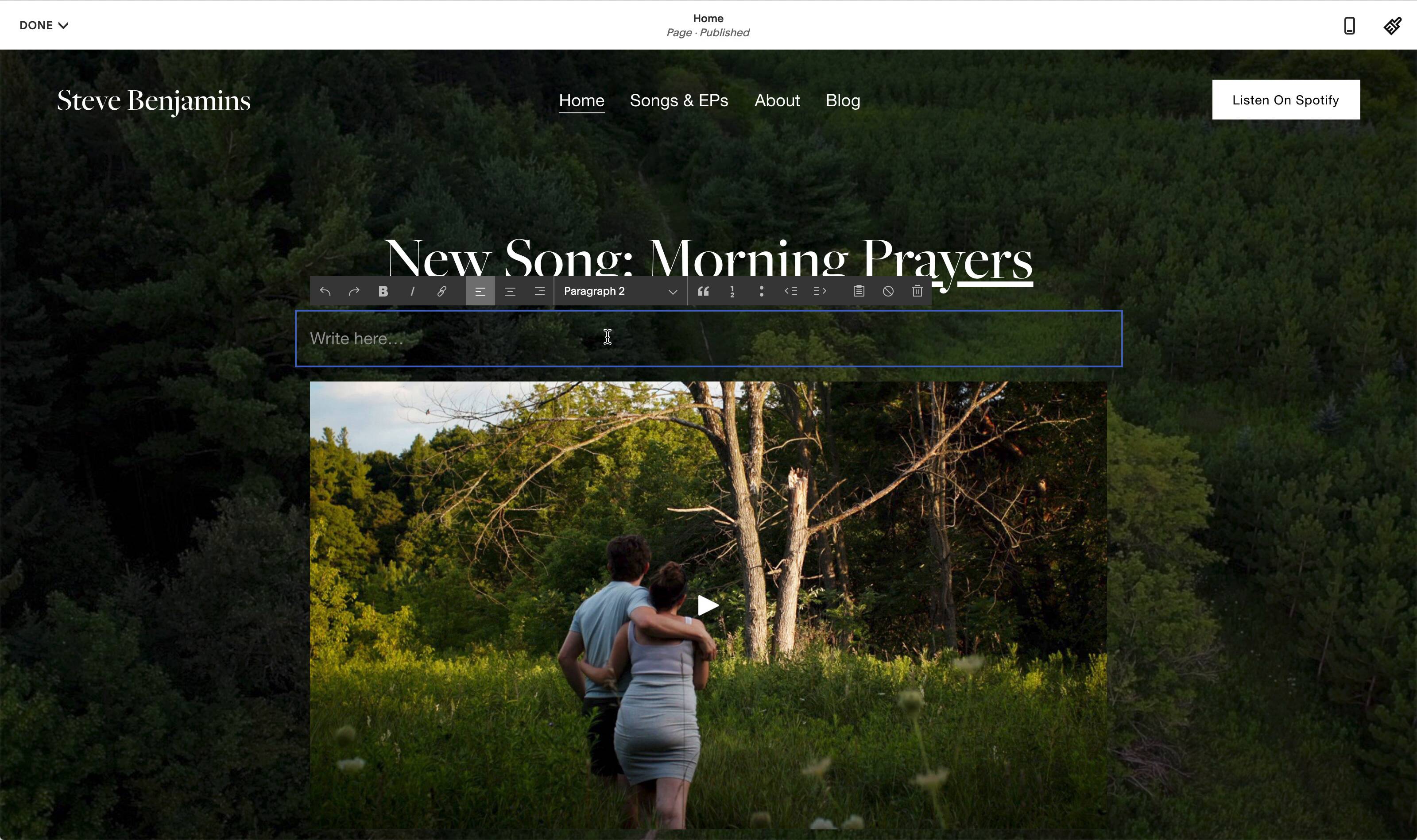
I use Squarespace for several websites: The Humanities, Steve Benjamins Music, and JQB Therapy.
The reason I keep coming back to Squarespace is that the templates look great, it’s intuitive to use, and everything just works.

Scott Snyder is a product/object photographer based in Costa Mesa, California. His website, Scott Snyder Photography, is one of our favorite photography/portfolio websites.
Why did you choose Squarespace?
I went with Squarespace due to its reputation for design, simplicity, and functionality. I've almost always exclusively built websites through them, and just know that I can accomplish what I need and have it look great with minimal effort.
How would you rate the ease of use and user-friendliness of Squarespace?
I'd rate it about an 8 (out of 10), especially now with the 7.1 platform. More often than not, you really don't have to think twice about trying to accomplish the look you're going for, and when you do, even just some simple CSS can get you the rest of the way there.
Can you describe your experience with the available templates, design customization options, and your favorite features or tools?
I'm a big fan of Squarespace's new 7.1 platform. Previously, you had to pick a template up front, and it came with its own unique set of codes that dictated what you could and could not do. This, unfortunately, meant that some templates could do one thing and others couldn't, and you might miss out on features or styles. With the new platform, all templates are designed from the same building blocks, which means you're never stuck with any one look. You have a lot more flexibility to create any look that Squarespace has to offer. In terms of general design customization options and such, there is really a ton of options and control, probably even more than you need unless you want to get really particular about things, which, naturally, we almost all want to do. Still, if you can manage to stick within some parameters, you might just be surprised at how nice you can get something to look with just default tools and styling.
Have you faced any challenges or issues while using the website builder?
Like any software/app/etc. there are some quirks, but I've found that overall, you just need to understand the basics of how Squarespace is designing the builder to work, and then you can easily work within that. On previous versions of their builder platform, I did notice browser-specific quirks or some sluggishness here and there, but on 7.1, I've experienced almost nothing I'd say was a real issue.
How has the website builder's performance been for you in terms of page loading speed, uptime, and mobile responsiveness?
Everything here has been good and only getting better. I'm especially happy now that you can batch-upload image files and then lay them into your pages. Previously, to the best of my knowledge, you had to load every image, one by one, as you were building a page. Now you can just upload everything once, and then you have a bank of images always there and ready to be placed on a page. This has sped things up considerably for me when building case studies.
[Side Note: Scott’s website homepage is filled with high-quality images and is over 5 MB in size. Still, it passes the core web vitals test and loads in under 2 seconds!]
How would you rate the website builder's customer support?
Customer support has always been excellent. I've used their chat support a handful of times for various things, and they've always been quick to respond and well-versed.
Do you think it’s a good value for money?
Definitely!
Would you recommend this website builder to others? If so, who do you think it's best suited for, and do you have any tips or advice for someone considering using it?
I would absolutely recommend Squarespace to others. In my mind, it's just one of these easiest platforms to make an amazing website with, especially if you don't want or need to do a lot of custom code (although you absolutely still can). I think their platform is perfect for nearly everyone out there. Maybe the only caveat would be bigger e-commerce businesses. They might benefit from a more sales-minded platform (Shopify, etc.). Still, again, my experience with this area is minimal in regards to what Squarespace can offer, and, in most things, they've always been good and only gotten better.
Shopify is the best website builder for online stores—it tames the complexity of ecommerce and removes many of the obstacles online store builders face. I recommend it for anyone building an online store that ships physical products.
Shopify will work for stores of all sizes. It easy enough for small creators and scalable enough for billion-dollar businesses and celebrities (example: Cristiano Ronaldo, Kylie Jenner, Selena Gomez, pretty much everyone).
If you compare it with the other top website builders in this list (like Squarespace and Wix), it’s miles ahead in everything ecommerce — it offers better shipping, inventory management, payment options, tax settings, ecommerce templates, ecommerce marketing features, sales channels, reporting, and more. However, it’s important to remember: Shopify is purpose-built for ecommerce and others are general-purpose website builders.
Ecommerce happens across many different channels today: Facebook, Google, Etsy, TikTok, or even in person through a point of sale system. Shopify is the ecommerce platform that brings these channels together in one place— so you can have one store that sells across all these different platforms.
If there’s specific ecommerce functionality you need, Shopify probably provides it. Shopify includes email marketing, live chat, local delivery route planning, point of sale systems, product reviews, dropshipping, and much more.
The Shopify app store has over 10,000 plugins from third-party developers that you can use to customize your store. For example:
\* \[Etsy Integration](https://apps.shopify.com/search?q=etsy) crossposts your Shopify products to Etsy.\*
\[One Click Upsell](https://apps.shopify.com/zipify-oneclickupsell) lets you add upsells (like gift wrapping) to your shopping cart.
\* \[Floating Widgets](https://apps.shopify.com/floating-widgets) lets you add banners to your online store.\*
\[DSers](https://apps.shopify.com/dsers) helps you to dropship from AliExpress.
Shopify is extensible and customizable—so long as you’re a developer or can hire a developer. Want a specific look for your website? You can hire a developer to code a custom template.
The official Shopify Theme Store includes 12 free themes and 129 paid themes—all optimized for performance and ecommerce conversions. However, you can also choose from thousands of themes from a theme marketplace—for example, \[Theme Forest](https://themeforest.net/category/ecommerce/shopify) has over 1,700 Shopify themes available!
Shopify removes many of the obstacles that stand in the way of starting an online store. Here are two examples:
\*Shopify Payments\* You don’t need to connect to a 3rd party payment processor because Shopify includes a payment processor called Shopify Payments. But, of course, you can also connect to your own payment processor if you’d like—Shopify allows integration with 100+ third-party payment processors.
\*Shipping Rates & Taxes\* Shopify includes smart defaults for shipping rates and taxes (which you can change later). I’ve found the automatic shipping rates to be pretty accurate—though mileage may vary!
It’s not correct to call Shopify easy to use— it’s too powerful to be simple— instead, Shopify is intuitive. Shopify’s interface is always organized and clear. This is really, really nice— especially when you compare Shopify to competitors \[like WordPress/WooCommerce and Volusion](https://www.sitebuilderreport.com/shopify-review#the-editor), which have disorganized interfaces.
markdown="1">Shopify has the most comprehensive collection of articles, help docs, and videos to familiarize you with their platform and ecommerce in general. Their community forum has tens of thousands of Q&As that likely answer almost all your questions. And they also offer live chat, email, and phone support if you need additional help. I raised support tickets twice and got helpful answers both times in 2-3 hours.
Shopify claims \[Shopify Checkout is the best-converting in the world](https://www.shopify.com/enterprise/shopify-checkout). They partnered with the Big Three management consultancies (McKinsey & Company, Bain & Company, and Boston Consulting Group) to run independent studies. They found Shopify’s overall conversion rate outpaces the competition by up to 36% and by an average of 15%.
Shopify has often been at the forefront of ecommerce innovation, whether with the launch of Shopify Payments or their app store. They are also building for AR and VR right now!
Shopify is powerful, but make no mistake, it has a learning curve. It will almost certainly intimidate less tech-savvy users. I’d recommend \[Squarespace](https://www.sitebuilderreport.com/best-website-builder#squarespace) or \[Square](https://www.sitebuilderreport.com/best-website-builder#square) if you want an ecommerce website builder that’s less intimidating.
Shopify does not have a drag and drop editor. Instead, it has a WYSIWYG page editor that works more like editing a Microsoft Word document. It’s not user-friendly. I’d suggest \[Squarespace](https://www.sitebuilderreport.com/best-website-builder#squarespace) or \[Wix](https://www.sitebuilderreport.com/best-website-builder#wix) if having stylish content pages or blogging is important to you.
Shopify Overview (4:12)
Shopify has three main plans that cost between $29/month and $299/month (paid annually). However, you can try it for free (without a credit card) for three days and pay $1/month for the first three months to test the platform.
Beyond that, there is Shopify Plus (an enterprise plan) and Shopify Starter (a $5 plan that adds Shopify’s ecommerce functionalities to your current non-Shopify site through their Buy Button channel).
One criticism of Shopify is that there are often additional costs beyond the monthly plan. For example: you may need to buy a custom Shopify template or an app from the Shopify app store.
Learn more about all the costs in our detailed Shopify Pricing guide.
I use Shopify when I need to sell and ship products.
I currently use it for two projects: The Happy Burlap (an online store) and a merch store for my music on Spotify.
Ecommerce just works on Shopify — and this is a minor miracle because ecommerce is really, really complicated! Just think of everything that goes into an online store: taxes, shipping, fulfillment, customs, discounts… it’s a lot!
Shopify makes all that complexity feel manageable.
If I had to narrow down to two reasons to say Shopify was the best ecommerce website builder, I’d say this:
My one frustration? Shopify is not a drag-and-drop website builder— and so it isn’t great for creating blogs and stylish content pages. But if I need to ship and fulfill physical products, Shopify will continue to be my first choice!
Owner Abhijeet Kumar started Book Blabber to, well, blabber about books. Recently, he added a merch store for book lovers and built it using Shopify.
Why did you choose Shopify?
I chose Shopify as I heard it's easy to use. And it is. The other platform I was considering was WooCommerce for WordPress. But my experience with WordPress for setting up blogs and portfolio sites hasn't been so friendly.
Shopify is indeed easy to set up. And it integrates with my vendor's system directly. So I don't have to forward them the order details manually.
How would you rate the ease of use and user-friendliness of Shopify?
I would give Shopify a solid 9. It's absolutely easy to use. It's just that the platform has a few missing options which should have been available by default. I had to search and add codes and plugins.
[Side Note: Abhijeet’s store is new and small and therefore doesn’t need lots of customization or apps. If you plan to make a custom design and scale the store beyond a point, know that you’ll need to spend on apps and devs]
Can you describe your experience with the available templates, design customization options, and your favorite features or tools?
I haven't explored the templates much. The default theme it presented has pretty much everything a new business owner would need. Eases up the onboarding process.
What I like the most so far is that you can customize as deep as you want, changing almost every bit of text displayed on the site or notification emails. If something seems unavailable, you can always find help from the community. The forum already had answers to my queries so far.
Have you faced any challenges or issues while using the website builder?
No issues as such with the default tools available, except for searching for them. Shopify has so many features and settings in different menus that, initially, it was overwhelming. After a week of using it, I was able to find my way around things.
How has the website builder's performance been for you regarding page loading speed, uptime, and mobile responsiveness?
Although the analytics shows that the load speed needs improvement (will work on it later), I am happy with the loading time I get on PC and mobile. There hasn't been any issue with the website loading time. The admin panel and backend dashboard, though, are sometimes slow to display.
What Shopify plan are you on? Do you think it’s value for money?
I am on the Basic Shopify plan, and it offers everything to set up a new store online. The peace of mind it offers is worth the investment.
Would you recommend this website builder to others?
Yes, I would absolutely recommend Shopify to others. It's best suited for small businesses that need an easy-to-use platform to maintain their e-commerce store. It needs you to have some tech-savviness and basic marketing skills to maintain your store on your own.
Wix is the most popular website builder by market share. Its unstructured editor is its most defining feature—it allows you to move any element to any spot on a page. This allows for plenty of freedom.
It will work best for users who want to be able to control everything…and are comfortable with the risks that come with control.
If Squarespace is the Apple of website builders, Wix is the Android//PC equivalent. It has more features, but they are not as detailed or polished; you have more control, but it takes away from intuitiveness and ease of use; there are lots of templates, but the average template is not as good; there are lots of apps, but the integrations are not as seamless.
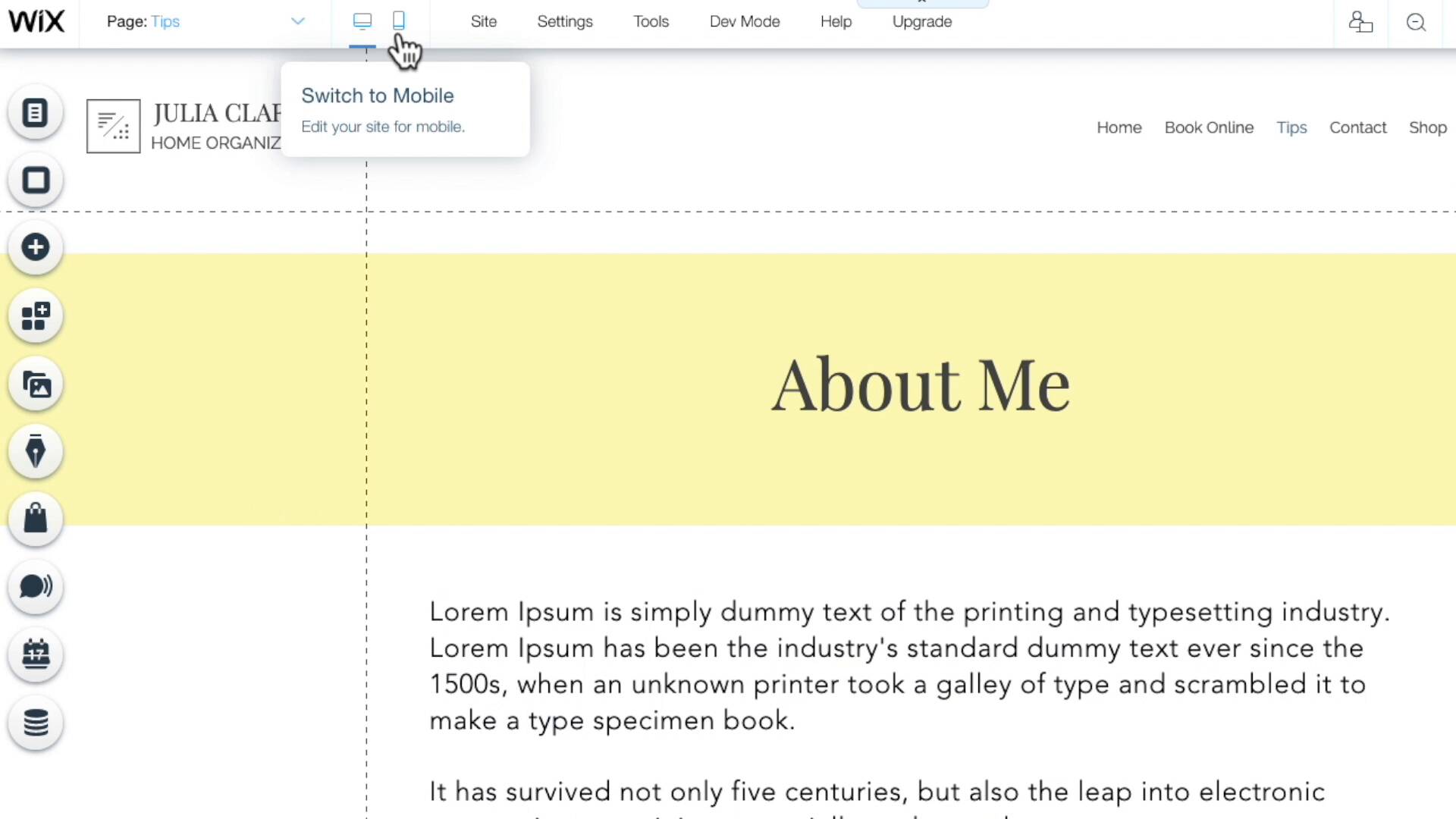
Wix’s unstructured editor lets you drag and drop elements anywhere you want on a page— without constraint. You can see a \[video explanation here](https://youtu.be/VmNvakQ9kOw?t=54). Almost no other website builder provides a drag-and-drop interface like this— every other website builder has constraints. \\[Wix also has two other editors: Wix ADI — a very simple editor that builds your website by asking you questions (it’s sort of like a setup wizard), and Editor X — a complex editor made especially for designers and agencies]
Wix has more features than any website builder: ecommerce, forums, ticket sales, restaurant ordering, music distribution, appointment scheduling, multilingual websites, and more.
Wix offers more themes than most website builders—though the quality is inconsistent. But if that’s not enough, you can also create your own theme from scratch — Wix’s unstructured editor means you can make significant changes to your Wix template.
Wix has an app store and a huge selection of 500+ widgets and plugins to add to your website or ecommerce.
Wix includes several small business and marketing tools for managing online presence: CRM, social posts, SEO, email marketing, live chat, and more.
Unlike the top two on this list, Wix has a free plan. And it is the most featureful \[free website builder](https://www.sitebuilderreport.com/free-website-builders) plan. However, there are quite a few limitations regarding bandwidth, ads, storage, etc.
Complaints about Wix websites loading slowly and performing poorly were common just a few years ago. Over the last couple of years, Wix has managed to remove a lot of bloat from users’ websites, which has led to a significant increase in performance—\[more than half](https://lookerstudio.google.com/s/nghFrH6NHts) of Wix websites now pass the Core Web Vitals test.
Notice what I did here? Wix’s drag-and-drop editor is listed as both a Pro and a Con. Here’s why: while the unstructured editor gives users freedom, it also introduces bugs and workarounds that can get very frustrating. This is a complicated issue, so I’d suggest you read my \[Wix review](https://www.sitebuilderreport.com/wix-review#the-editor) or look at the videos \[comparing the Wix editor to the Squarespace editor](https://www.sitebuilderreport.com/wix-vs-squarespace#the-editor) to learn more.
This is a question of tradeoffs. Wix isn’t as difficult to use as Shopify and WordPress, but you should still expect learning Wix to take some time. There are easier website builders out there— but those website builders don’t have as much functionality and freedom as Wix.
A portion of your bandwidth is used up every time a visitor comes to your website. Wix’s cheapest plan (Combo, priced at $16/month for an annual subscription) puts a 2 GB limit on your monthly bandwidth—which is unfortunate. You shouldn’t have to worry about bandwidth in 2024, and every other website builder on this list includes unlimited bandwidth. To put how much 2 GB bandwidth is in perspective, assume Scott Snyder (whose story we featured in the Squarespace section) makes the same 5 MB+ homepage with Wix’s Combo plan. It’d mean the website will reach the bandwidth limit if 400 visitors load the homepage.
If you want better features, you may need to pay more than competitors offering equivalent features. For example, Squarespace’s $16/month plan includes unlimited bandwidth; you’ll need to get the $22/month Wix Unlimited plan for the same. Similarly, Squarespace charges $4/month to send 500 emails through its email marketing platform; Wix’s email marketing tool costs $10/month for 500 emails.
Wix Overview (3:27)
In the last quarter of 2023, Wix made some huge plans & pricing changes.
Before the change, Wix had seven plans; the cheapest plan cost $16/month, and the most expensive one was $59/month (annually). It was in a similar range as its biggest competitior, Squarespace. But now…
In 2024, Wix has increased its pricing. The cheapest plan is still $16/month, but the most expensive plan, which seems to be the equivalent of the $59/month Business VIP plan, is now $159/month.
I don’t currently use Wix for any projects. I strongly prefer Squarespace— which is Wix’s biggest competitor.
I’ve tried Wix many times but I find the unstructured drag and drop editor creates more problems than it solves for me.
At first, all that control seems great! … But then my mobile website gets screwed up or I start missing content because it’s hidden behind an image.
This is best described visually— so see this video below:
Watch what happens when I move my image to the bottom of my Wix webpage.
I use website builders because I want things to just work. So I don’t like when the Wix drag and drop editor creates more work for me.
So does that mean you shouldn’t build a Wix website?
No. Wix might work for you— after all, it’s the most popular website builder by market share! So obviously it works for some users.
I specifically think Wix will work for users who get frustrated by the lack of flexibility in other website builders.
For example: most website builders can’t just nudge an image over by a few pixels. With Wix, you can. Personally I don’t mind giving up that level of control to know that nothing on my website will randomly break. But many users do want that level of control — and Wix provides it.
Without a doubt, Webflow is the most customizable website builder on this list. If you can imagine it, you can probably make it with Webflow.
Just be aware: Webflow has a learning curve. So either you need to learn it (which can take days, weeks, or months depending on your technical experience) or hire a professional Webflow developer to make your website.
A popular analogy is that DIY website builders such as Squarespace and Wix are like Canva, and Webflow is like Photoshop: Anyone can use Canva and create graphics that work for many use cases. But for fully custom graphics/images, advanced photo editing features and manipulation capabilities of Photoshop do a superior job—the caveat is you need to know graphic design and learn Photoshop (it’s not intuitive).
Therefore, Webflow is particularly popular with professional web designers or users with some technical experience. Understanding HTML & CSS will make learning Webflow much easier!
Webflow is basically a user interface for HTML & CSS code. So if you can do something in HTML & CSS, you can do it in Webflow—which means Webflow offers far more customization options than any other website builder!
Webflow is the only website builder with a full CMS. This is powerful! A CMS lets you create custom collections with fields like rich text, images, files, and more. Plus, they’ve \Logic, a feature that allows visitors to make submissions to the CMS!
Webflow includes a separate, friendlier interface (called Editor) that you can hand off to clients and teams. They also allow white-label client billing. Webflow also announced Webflow Apps, their plugins/app store, in November 2022—which already has 28 apps for ecommerce, content management, workflows, etc.
Webflow has some of the best Youtube tutorials around. \Seriously. This is great because you will need some tutorials to get up and running with Webflow. \[Webflow University is the same thing]
You can choose from over 2000 modern, well-designed third-party templates (paid & free) from the \Webflow Website Templates marketplace. And most of them are stunning—many even better than Squarespace templates.
Webflow does not shy away from complexity. Understanding the fundamentals of web design (HTML and CSS) will give you a head start. Someone I know took over a month to learn the basics of HTML, CSS, and then Webflow from Webflow University, only to make a website inferior to what you’d be able to make with a simple website builder.
I wouldn’t recommend building an ecommerce store in Webflow right now. Webflow’s ecommerce plans with no transaction fees start at $79. That’s way too expensive—especially compared to Shopify (which starts at $29) and Squarespace (which starts at $27). Also, Shopify is a much more robust ecommerce platform with assumably lower complexity than Webflow—so the only time Webflow ecommerce makes sense is when you want to use its design interface and the store is secondary.
Some essential features are missing from the cheaper plans. For example, CMS isn’t included in the $14/month Basic plan; the first few plans don’t get the best security; the global CDN access is only available from $39/month Business plan; etc.
Webflow Overview (2:47)
Webflow has two types of plans:
They also have separate plans for freelancers and agencies offering Webflow services.
Webflow is not for everybody, but those willing to learn it will uncover an incredible design tool.
The major difference between Webflow and other website builders is that Webflow gives you the power of code, without requiring you to write code.
But there’s a catch.
Webflow has a learning curve. I’m a professional web designer and it took me a few days to wrap my head around it!
But once I learned Webflow, I started wanting to use it everywhere.
I use Webflow for one project currently: the marketing website for Atlist, a startup I co-founded.
I chose Webflow because I needed a custom website design— so Squarespace wouldn’t have worked. Plus I found Webflow’s CMS to be perfect for creating our blog and documentation site.
I wish Webflow was around when I was still a freelance web designer a few years ago. I would have used it instead of WordPress.
In the future, I will definitely be building more websites on Webflow!
Note: One competitor to Webflow is Editor X— which is basically Wix’s version of Webflow.
Carrd is for simple websites that fit on a single webpage. It’s not for websites with multiple pages.
I love that Carrd is focused on the niche of one-page websites. This makes it a great option for landing pages and personal websites!
While one-page websites are not for everybody, Carrd does offer some wonderful benefits to be considered a top website builder:
Carrd is much cheaper than competitors. Plans with custom domains and no ads start at $19 per year. [Wix](https://www.sitebuilderreport.com/wix-pricing) and [Squarespace](https://www.sitebuilderreport.com/squarespace-pricing) start at $192 per year (i.e., 10x the price!).
Carrd’s themes and features are just for creating one-page websites— there’s a sense of purpose in the interface. You can use other website builders to build one-page websites, but it never feels as intuitive as Carrd.
I do find Carrd has a bit of a learning curve if you want more control over design than just using the default blocks. For example, you’ll need to wrap your head around concepts like containers and CSS classes. This isn’t intuitive for users who don’t understand HTML and CSS.
An overview of Carrd. (2:06)
Carrd has a great free plan, which would work for most use cases if you don’t mind Carrd branding. Then there’s a Pro Lite plan costing $9/year, but it doesn’t offer that much.
I like the $19/year Pro Standard plan the best — it allows up to 10 websites, custom domain URLs, widgets, and more.
Their most expensive plan gives access to advanced settings and costs $49/year.
Framer is an advanced tool — which means it does have a learning curve. It will take even experienced web designers take some time to learn how to use it.
But once you learn it, Framer will allow you to create totally custom designs.
Framer’s closest competitor is Webflow. And while Framer is definitely easier to use than Webflow it doesn’t have nearly as many features as Webflow.
Framer has a learning curve but it’s easier to learn than Webflow. If you have familiarity with Figma you’ll probably be able to get up and running quickly with Framer.
With the Figma to HTML plugin you can actually copy and paste elements from Figma directly into Framer.
Framer has powerful but easy to use animations tools. It’s honestly the best I’ve found in any website builder.
I would only recommend Framer if you have some background in web design — and even then, you will still need to take some time to learn Framer.
Framer lacks many of the powerful features of it’s closest competitor Webflow. Here are some of the limitations of Framer:
Hostinger’s website builder is an excellent value-for-money proposition, but it’s fairly new and lacks advanced features.
Some history: The company introduced its no-code, drag-and-drop website builder, Zyro, in 2019. It was a “side hustle” then. But soon after, Hostinger brought it to its main brand and called it Hostinger Website Builder. [Zyro still remains and gets most of the updates, but they have stopped marketing it and plan to discontinue it.]
Hostinger has managed to bring a lot of good things from the top website builders and make it their own by sticking to their core audience (i.e., the people looking for affordable and beginner-friendly website solutions).
I’ll be keeping a keen eye on the Hostinger Website Builder for the years to come. With more advanced features and some fixes, it can become among the best website builders.
Hostinger Website Builder is among the cheapest website builders, starting at just $2.99/month (for a 1-4 year commitment, renews at $9.99-$6.99/month afterward). And it’s better than many website builders that cost 2x that!
NOTE: See ‘Tricky Pricing’ in Cons section.
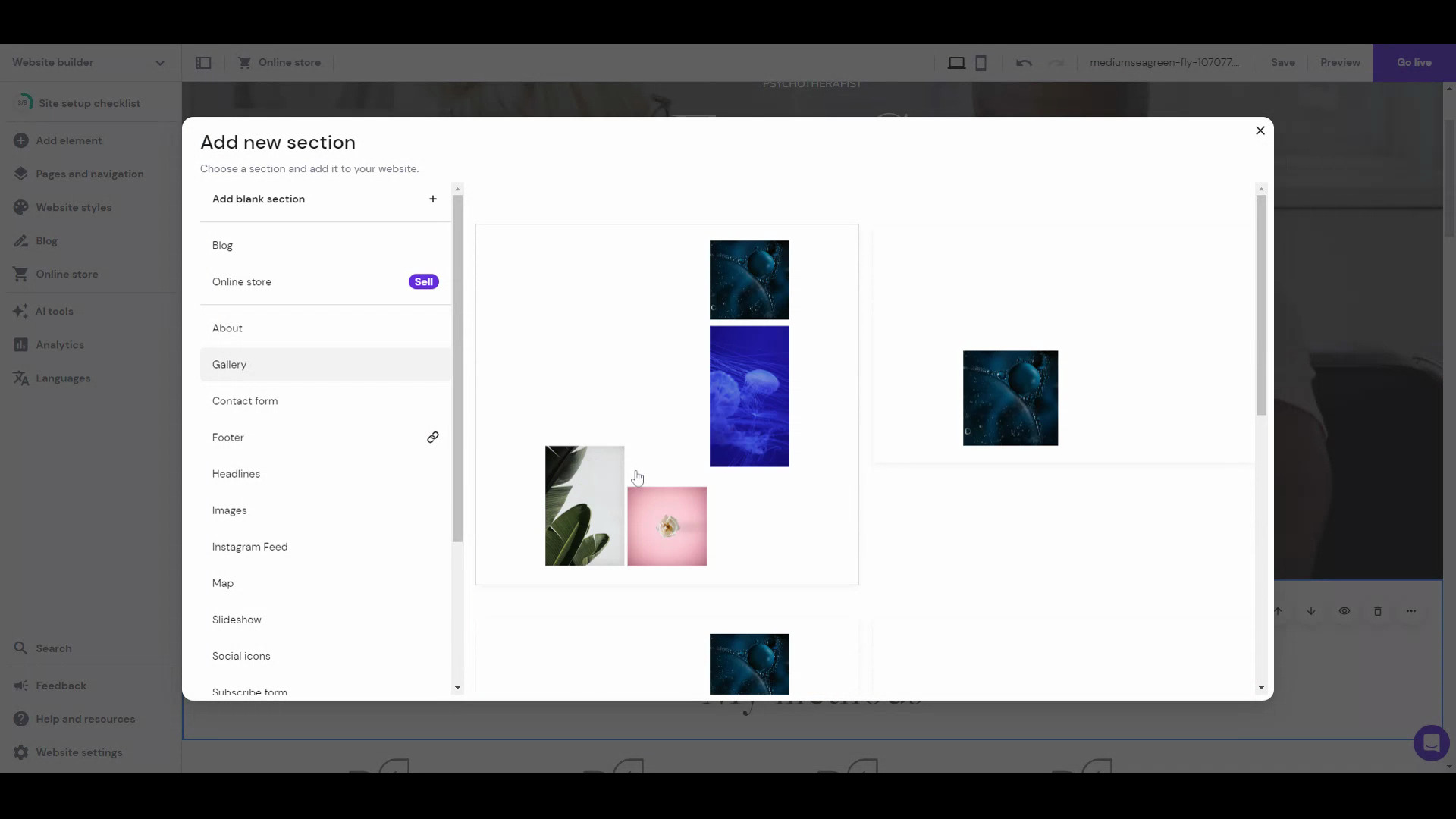
This is the biggest plus of the Hostinger Website Builder. The editing experience is a blend of Wix and Squarespace editors—you can choose to use a grid layout like Squarespace, where you can drag and drop elements in a grid; or you can turn the grids off and use it like the unstructured Wix editor wherein you can drop elements anywhere, and they’ll stick there to pixel perfection.
Hostinger includes AI tools for making your logo, writing copy, and predicting visitor interaction on your website.
You can easily implement a language switcher and translate website content with the Hostinger Website Builder, making it a good choice for reaching international audiences.
Hostinger offers a selection of 140+ templates across categories like fashion, photography, portfolio, services, etc.
The Hostinger Website Builder falls short compared to platforms like Squarespace and Wix in terms of advanced features. However, it’s improving: Since we last reviewed it in mid-2024, they have added password-protected pages and video background features. Still, you’ll find a few features missing, like: you can’t add a comment section to your blog; ecommerce is limited to 500 products; the editor blocks and sections are a bit basic compared to the top contemporaries, etc. On top of that, there’s no app store to extend the builder’s functionality.
Although you get 140+ fully customizable and responsive templates, the designs are comparatively basic. They aren’t as aesthetically pleasing as Squarespace templates or the best Wix templates. I am yet to see a “stunning” Hostinger Website Builder-made website.
The cheaper website builder plans of Hostinger use shared hosting, which isn’t the best for performance, scalability, and security. In comparison, website builders like Squarespace use cloud hosting for all plans, ensuring great performance and uptime no matter the traffic bumps. Hostinger also offers cloud hosting plans, but those start at $9.99/month (renews at $19.99/month).
Hostinger Website Builder always has the $2.99/month “deal” on, which I find is a bit deceptive — they create a false sense of urgency.
Then, the renewal price written on the landing page is $6.99/month, but it only applies if you buy & renew the 4-year plan.
Also, we can never know when they’ll start charging the base price (which gives subpar value for money). It’s important to consider this because it’s a closed system — i.e. if you want to move away from Hostinger Website Builder, you’ll need to create your website from scratch on whatever new platform you choose.
The Hostinger Website Builder landing page mentions only one pricing — $2.99/month (prepaid for 1-4 years, then renews at $6.99/month).
However, you get the website builder with all Hostinger hosting plans. Its web hosting/shared hosting plans start at $1.99/month (renews at $3.99/month), and cloud hosting starts at $9.99/month (renews at $19.99/month).
Canva has extended its design platform to include a one-page website builder, bringing its signature simplicity to web design.
For the freedom, templates, and elements it gives, it will work well as a one-page website builder. However, its lack of features, mobile editor, and cheaper plans makes it a lukewarm deal.
Canva Websites offers 800+ beautiful one-page website templates, each with its own typography, color palette, and overall style. And most of these templates are free.
The platform features a drag-and-drop unstructured editor, allowing users to move any element anywhere on the page and customize each element individually.
Users can create a one-page website for free, with some non-intrusive Canva branding and a Canva subdomain.
Canva allows users to collaborate with teammates to design the website.
While Canva has optimized its templates for mobile devices, any changes made in the editor can disrupt the mobile site. Unlike other platforms like Wix, Canva doesn’t offer a mobile editor to fix this.
Canva Websites lacks many features that other website builders offer, such as forms, SEO features, blogging, ecommerce, appointment scheduling, etc.
To use a custom domain name and remove Canva branding, users must purchase the entire Canva Pro plan for $119.99/year, which is significantly more expensive than other one-page builders like Carrd. Though if you want to use other Canva products like its graphic design, it’s a great deal!
To use a custom domain name and remove Canva branding, you have to pay $119.99/year for the Canva Pro plan.
Last year, Ucraft introduced Next — an ambitious redesign of their previous website builder.
Next divides the website creation process into two distinct editors: Content and Design.
The Content Editor allows users to add pre-designed blocks to their site, which can then be customized or selectively hidden. While the block-based approach simplifies the design process, the current selection feels limited, with only 94 blocks available at the time of review. Given that blocks are the core building block of your website, I hope Ucraft expands the selection over time.
The Content Editor
The Design Editor is where you can fully style these blocks, offering a powerful style editor reminiscent of Webflow or Framer — allowing users to modify almost any aspect of their site, similar to working with HTML and CSS. Additionally, it supports responsive design with different breakpoints.
The Design Editor
Together, these two editors form the core of Ucraft Next. It’s an ambitious blend of powerful website builders like Webflow and Framer with the ease of use of block-based builders like Squarespace and GoDaddy.
Of course, Ucraft Next includes more than just these two editors. Like most website builders these days, they’ve added an AI design copilot. They’ve also included a wide variety of ecommerce features — appointment scheduling, digital goods, rentals, reservations and more.
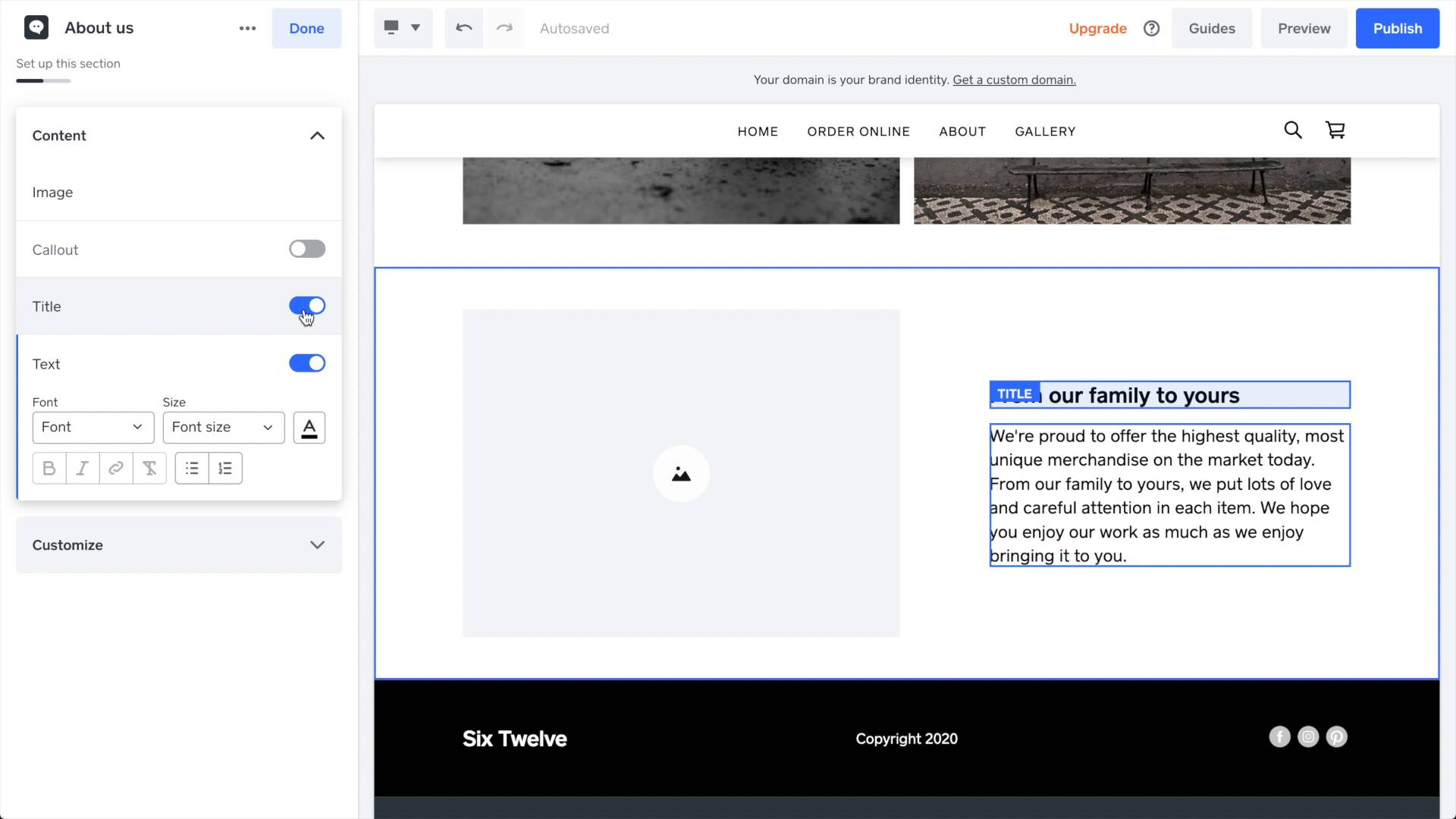
You can think of Square Online (previously Weebly) as a more basic version of Shopify — it’s best for ecommerce and small business websites.
Square Online is easier to use than Shopify, but it’s also much, much more basic. If easy-to-use ecommerce is your priority, I’d recommend Squarespace over Square Online in most cases, though — it’s fairly easy to use and a more well-rounded website builder.
The only time Square Online makes total sense is when you are already in the Square ecosystem and want a simple online store. Another good use case is for restaurants wanting to get online. Besides these, other platforms are superior.
Square Online is what I recommend to anyone who doesn’t feel tech-savvy. Its cookie-cutter templates are very easy to customize. Just be aware: it is not very customizable.
While not as powerful as [Shopify](https://www.sitebuilderreport.com/best-website-builder#shopify), Square Online still offers an impressive suite of ecommerce features. It’s a good option for someone looking for an easy-to-use ecommerce platform.
Square Online has the [best free plan](https://www.sitebuilderreport.com/free-website-builders) of any website builder. It includes plenty of features and even offers free phone support!
Square has a suite of tools that support sellers— and Square Online has integrations with all of them: scheduling software, online ordering systems, team management, POS systems, loyalty cards, and more.
Many major limitations that make Square Online frustrating to use. For example, you can only add sections to a page— you can’t just add individual elements.
In the US, Square is priced the same as Shopify — which is expensive, considering how much more Shopify offers.
Square Online Overview (0:49)
Square has the best free plan of any website builder. Beyond that, its ecommerce plans are a little bit cheaper than Squarespace, Shopify and Wix.
Like other website builders, Square includes a free domain for one year on premium plans.
From what I can tell, the philosophy of Square Online is sort of like this: users create pages, add content, and Square takes care of the rest. Users can do some very basic design customization options (for example, choose a primary color) but not much else. In this way, Square is trying to save users from having to wade into the details of website design.
Theoretically this could work! But, in practice, I find myself constantly getting frustrated by arbitrary and annoying limits:
How much are you willing to put up with these kind of minor limitations?
If you can let it roll off your back, Square Online might work for you.
If it’s going to annoy you (like it annoys me), then you’re better off with a different website builder. </div> </div>
WordPress.com is not WordPress— or at least, it’s not what most people think of as WordPress.
Most people know WordPress as WordPress.org, the popular open-source content management system (CMS).
The upside of WordPress.com is that it taps into the WordPress ecosystem— you can install any WordPress theme or plugin if you are on their more expensive plans.
Another upside is that it has WordPress’s excellent blogging.
The con is that you’re constantly stuck in-between: when I use WordPress.com, I find myself switching between the WordPress.com editor and the WordPress Admin editor.
Having two separate editors with overlapping responsibilities gets confusing— especially for users new to WordPress:
WordPress.com: Adding a new page
The thing to know about Duda is that it’s primarily sold through web design agencies and hosting companies that resell it. You’ll find some of these companies (for example, 1&1 ) on this list.
Until last year, Duda made it look like their website builder was for everyone. However, recently they changed their website tagline from “The Professional Website Builder You Can Call Your Own” to “The Professional Website Builder for Digital Marketing Agencies,” making it clear who their target audience is.
Curiously even though all these different companies sell the same software, they all price it differently!
When it comes to the user experience, I find the Duda editor to feel disorganized and overwhelming— there are many tiny, hidden menus, and it can be hard to keep track of where-to-go-to-do-that-specific-task…
The upside to Duda is that it’s customizable. There are plenty of widgets and style options— though customizing styles isn’t always as intuitive as it is in a website builder like Squarespace.
BigCommerce is an ecommerce website builder—similar to Shopify. Unfortunately, it’s difficult to recommend BigCommerce because, as you can read in my Shopify section, Shopify is the clear leader in ecommerce websites.
Another thing: BigCommerce has moved upmarket recently and is targeting the Mid-Market and Enterprise ecommerce space. So if you are not their target customer, it’s likely not the best platform for you—in comparison, Shopify is built to “make commerce better for everyone,” and they build for entrepreneurs.
I also found one consistent complaint after interviewing several BigCommerce users: it’s difficult to use:
BigCommerce has an app store, but like other ecommerce builders with an app store, it lags significantly behind Shopify:
Shopify has far more apps than BigCommerce.
Jimdo is easy to use but too simple.
Websites are made up of blocks—which are pre-designed collections of elements.
Adding and editing these blocks is easy— the problem is that you’re limited in customizing these blocks. For example, you can hide elements within a block, but you can’t add new elements to the block.
The same thing with theme customization: it’s too simple. You can only choose one color, and it’s then applied scattershot throughout your website… but you don’t get to choose where exactly it is applied!
There are some other frustrating problems too. For example, you can’t press Ctrl+Z to undo; you have to click the undo button located at the top-left. Another example: If you change the block layout, the previous block’s content is also erased.
In the initial few years of Site Builder Report, Yola was one of my top recommendations: It was, as I liked to call it those days, “An honest, intuitive product that makes for a very solid experience.”
Around 2015-2016, it became clumsy and outdated. The interface started looking overwhelming, with inexplicable icons and buttons throughout the interface. And its Lightbox Editor started feeling ancient.
It remained so until about the last time I tested it, but now they have updated to a more modern Jimdo and Square Online-like editor, wherein you make the website by adding blocks and customizing them.
Hubspot CMS has good themes and layouts for business websites. And it’s quite customizable, too—not as much as a Wix or Squarespace, but more than Square Online and GoDaddy. Plus, it integrates well with the Hubspot tech stack.
However, there are three main flaws that make it a poor website builder for most people:
I updated the heading text here, but the preview editor didn’t update it automatically. I had to refresh the page to see the changes.
The GoDaddy website builder has a few good things going for it: It includes a suite of business and marketing tools: appointment scheduling, email marketing, social media management, graphic design, ecommerce, and a simple CRM.
GoDaddy is also very easy to use - you build the website by adding pre-made sections. But it has some MAJOR limitations when it comes to customizing your website, frustrating enough to that I’d only recommend it if you was just a very, very simple website.
For example, you can’t add individual elements to a website, and you’re often not able to make simple style customizations.
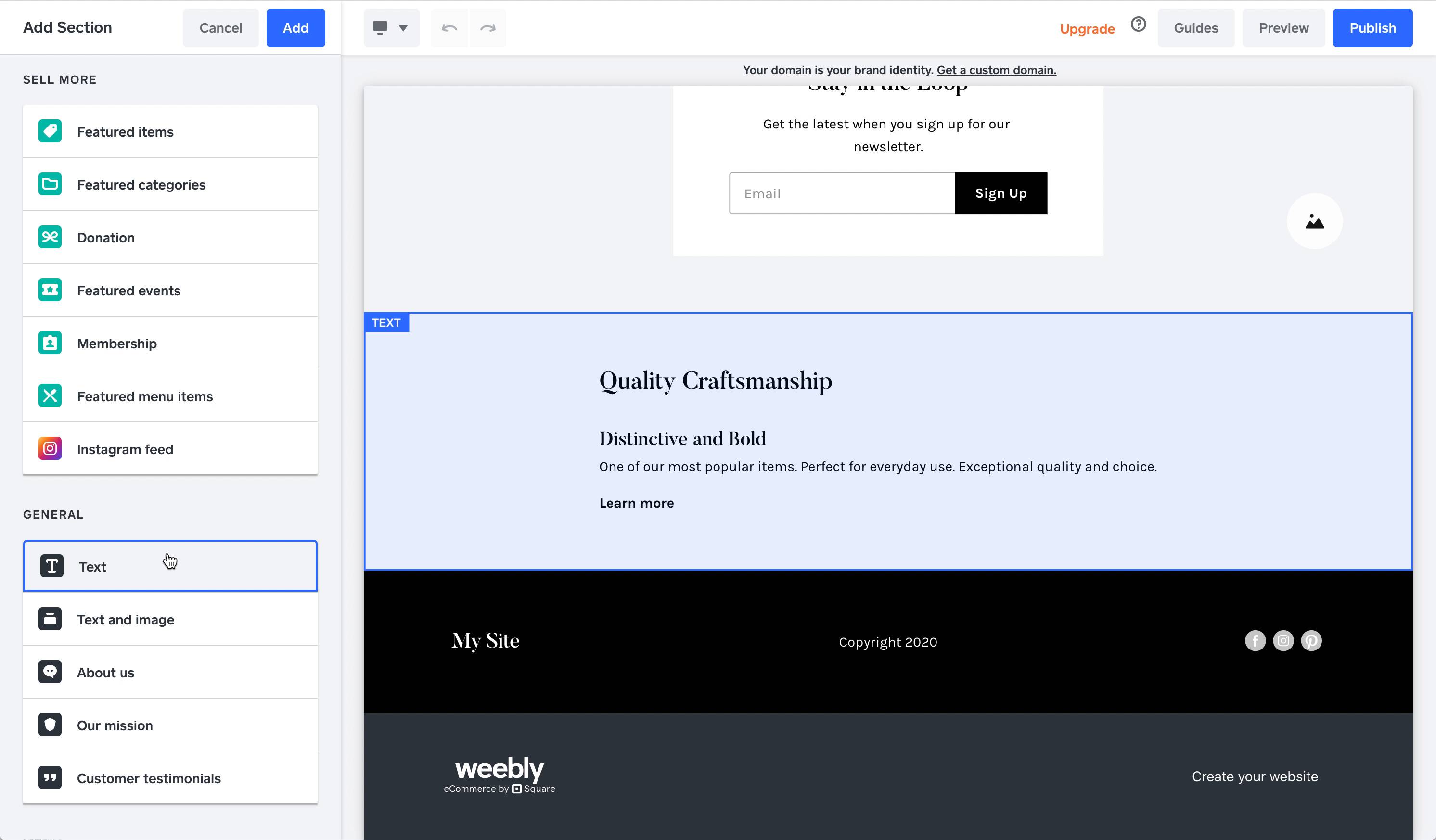
Godaddy Editor: Adding a section.
GoDaddy pricing is comparable to many similar website builders — plans start at $9.99 per month and get more expensive for ecommerce plans. It also has free plan, which we don’t recommend – see why in our free website builder rankings.
This 3-year-old website builder has attracted quite a few users thanks to its email marketing tool popularity. However, it also faces the same problems GoDaddy does.
The website builder itself is very basic and lacks key features.
Firstly, you add sections made of pre-made layouts to make a website with Mailchimp. It means there’s very little customizability, which isn’t a massive problem for simple websites, but…
Mailchimp has insufficient sections, which can hinder designing even a simple website. The only sections in the Mailchimp free builder are intro, text, text & image, subscribe form, video, about, quote, and contact.
If you need anything other than these (and you probably do), you may want to skip Mailchimp. For instance, an image gallery is a common feature in most website builders because many websites need it, but Mailchimp doesn’t have it.
Mailchimp sections
Google Sites is free— there are no paid plans. Even still, Google Sites doesn’t top my list of free website builders.
Pros
Cons
Video
Google Sites: A look at the editor and themes.
Strikingly has grown from a one-page website builder to a more complex platform.
They are releasing new features every week:
Strikingly update emails
But the website editor looks clunky with its lightbox editor and outdated dashboard.
Weebly used to be a great website builder—one of my most recommended just 4-5 years back. But it was acquired by Square in 2019.
Since then, the Weebly team has mostly worked on Square Online—which is Square’s primary website builder. The platform hasn’t gotten any updates, and you’ll find bug reports and reports of something or the other broken left, right, and center of the internet.
Anytime I open the Weebly subreddit, I’ll read about something or the other not working.
Unlike the other website builders on this list, Site123 doesn’t have a visual, drag-and-drop editor. Instead, you edit your website by filling out forms.
Cons
Video
The Site123 form editor.
Adobe announced they will no longer develop new features for Muse and have ended technical support for it.
I would strongly recommend you use something else. You can find a list of Adobe Muse alternatives here.
Webs was acquired by Vistaprint in 2011. Since then it’s basically been abandoned.
So why did Vistaprint abandon Webs?
Well since 2011, Vistaprint has launched their own website builder. I guess they decided it wasn’t worth it to run two website builders.
Acquiring products and abandoning them is common in website builders. The unfortunate thing is that companies like Vistaprint never communicate this to customers— which sucks.
Don’t bother with Homestead. Their best days are long gone.
Homestead was acquired by Intuit in 2007 before being sold to Endurance International Group (EIG) in 2012. Now it’s part of Web.com, which is another of the website builders I think you should avoid.
EIG has a reputation for bad customer support and poor server uptime.
In 2017 Homestead began licensing its software from SiteBuilder.com— another EIG company— but oddly Homestead is actually more expensive than SiteBuilder.com.
So if you really, really want to use Homestead just save yourself some money and use SiteBuilder.com instead— it’s the same software!
I have had two separate incidents of 1&1’s billing system having “bugs.”
That’s a bad track record.
After reviewing 1&1 (and signing up with my own credit card), they invoiced me several weeks after I had cancelled. Customer support told me sometimes the system generates “crazy invoices.”
Billing systems should NOT generate “crazy” invoices.
I signed up again to test 1&1’s billing system. When it came time to try cancelling, the billing system wouldn’t allow me to cancel. It kept giving me a bug that said “no cancelable single items present!”
So I bought another product with 1&1 (rankingCoach Pro) and tried cancelling it. It also gave me the same error when trying to cancel.
So I called customer support and they explained that they send error messages if a customer tries cancelling in the first 30 days in case the customer accidentally cancels the product.
Gah!!
Now the 1&1 website builder is called IONOS. Unfortuantely, the billing practice has remained the same after the rebranding.
Someone on Twitter shared this:
Their domain with IONOS was due to renewal but you can't renew if less than three days are left to renewal.
SiteBuilder.com is owned by EIG— a conglomerate that owns multiple website builders: Homestead, WebsiteBuilder.com and Sitey.
All these website builders run the same software— but some are priced differently than others. For example, Homestead.com is significantly more expensive.
What really bothers me is that WebsiteBuilder.com has automatically added items to customer shopping carts in the past without telling the customer.
This was happening as recently as 2018.
Here’s how it worked: WebsiteBuilder.com would add a “SiteLock” upgrade to your shopping cart without telling you. You had to notice it and de-select it:
During checkout, WebsiteBuilder.com automatically adds a SiteLock upgrade to your package. If you don’t notice it, it will automatically be added to your account.
No company should ever slip something into their customers’ shopping cart. That’s extremely customer hostile!
I’ve asked WebsiteBuilder.com to acknowledge that they did this in the past and they never do:
This email exchange just kept going and going...
I won’t recommend a company that has been this hostile to its customers.
Web.com’s website editor is super frustrating— the sidebars cover large chunks of the website, which means I couldn’t even see my full website on a normal-sized laptop! But that’s far from the worst:
What Not To Like:
The Editor
These sidebars cover large parts of your website.
In this section, we’ll cover questions to consider before you choose a website builder and start building your website.
Don’t build a website because you “need one.” Build a website because it helps you accomplish something.
A website can accomplish all kinds of goals:
Before you build anything, decide on a purpose for your website.
A purpose helps clarify things. Almost every design question can be answered by asking: is this helping us accomplish our goal?
A website builder is a tool for building a website that requires no coding knowledge.
Website builders are like an all-in-one package. They include all the essential features: templates, a drag and drop editor, web hosting, customer support and anything else you might need.
Website builders like Squarespace typically include a drag and drop editor.
Website builders are easy to use: you don’t have to learn how to code or how to setup web hosting. With a good website builder, everything just works.
But here’s the downside: because website builders are no-code tools, they’ll always be a bit more limited than coding. So a website builder may not be a good fit if writing your own custom CSS is important to you.
In the end, website builders are best for conventional websites.
For example a website builder is perfect for small businesses, ecommerce websites, portfolios, podcast websites and personal websites.
Website builders are less ideal for unconventional or complex websites.
For example — it wouldn’t make sense to build an entire universities website using a website builder.
Using a website builder like Squarespace, Wix or Shopify is the best way to build a website in 2026— especially for a personal website, small business website, an online store and much more.
If you’re a beginner, you might choose a website builder because they have powerful functionality and intuitive drag-and-drop editors.
If you’re an advanced user, you might choose a website builder because they just work. You don’t have to spend time setting up a web host, configuring a domain name or keeping a content management system up to date. Everything just works.
Some website builders are easier to use than others— the tradeoff for ease of use is often design flexibility.
The easiest website builders tend to have limited customization options. Website builders with steep learning curves (for example Webflow) tend to have much more flexible customization options:
Webflow has a steep learning curve but allows for much design flexibility.
Building a website takes time.
Try to be realistic with yourself: how much time do you really want to invest in tweaking and building your website?
Remember your website is not a work of art. It has a purpose and a goal. And sometimes the best way to accomplish that goal is to quickly choose a template, add content and launch.
You don’t need necessarily need to invest too much time!
Think of a custom website design as a luxury item.
If you’re going to hire a professional website designer, make sure you have a budget of at least a few thousand dollars (plus ongoing costs).
Avoid trying to find someone cheap.
You need a web designer who you can rely on years to come. I have talked to so many people who hired someone cheap who just stopped their business after a few years.
The other option is to hire a website designer to build a website for you on a website builder. Almost every top website builder has a platform for this (examples: Squarespace Circle, Wix Partners).
Even though website builders are DIY tools, there are many freelancers who work with website builders and can help bring your business online.
You should expect your costs to rise considerably if you hire a good web designer— though I would caution against hiring a cheap web designer to create your website. Hire a professional who can deliver high-quality service and be there when you need them.
Website builders are increasingly one of the most popular ways to create a website.
There are two ways we can look at this:
1. Market Share
The most popular way to build a website is to use WordPress. According to BuiltWith, there are over 30 million active WordPress websites (source).
By comparison, there are approximately 10 million active websites built with a website builder (source).
Market share isn’t a perfect measure because WordPress is free — while many website builders (for example, Squarespace) are not free.
2. Google Trends
Another way to measure website builder popularity is through Google Trends.
Google Trends compares the popularity of different search terms — and if compare Wix, Squarespace and WordPress, we can see that if you combine Wix and Squarespace, they are actually trending higher than WordPress:
Google Trends shows Wix and Squarespace gaining on WordPress.
WordPress is almost certainly the most popular way to build a website — but these days, website builders are not far behind.
As I mentioned previously, Wix is the most popular website builder in the website building space— it powers 4.5 million websites.
Squarespace is the second most popular and it powers 2.5 million websites.
There’s an important caveat though: Wix has a free plan. Squarespace does not. So how many of those 4.5 million websites are on the free plan? Unfortunately, there is no way to know.
But either way, Wix and Squarespace are the industry leaders. According to my data, 53% of websites that are built with a website builder will be built with Wix or Squarespace (source).
Website builders by market share.
You can read more about popular website builders in my annual State of Website Builders.
Yes!
There are website builders that are focused on specific industries. For example:
Though this is not as common as you would think. Honestly, the fundamental needs of a website are pretty consistent across industries. Good websites need excellent photos, good typography and easy-to-understand navigation.
Building a great website is not about which tool you use.
Here’s the truth: there are good websites made with bad website builders and bad websites made with good website builders.
Good websites are made by people who get started and tweak their websites over time. No one gets it right the first time.
This website (Site Builder Report) has been redesigned over 20 times in the last ten years! That’s how you get a good website design — you redesign and tweak.
So if you find yourself overwhelmed by decision fatigue, just stop the research. Choose a website builder and get started. Stop worrying if it’s the best.
Make the most of a free trial and see how far you can get — you’ll learn lots! Plus I’ve seen some website builders (for example Squarespace) with a free trial period of 90 days! </div> </div>
In this section we take a closer look at the best website builder for specific use cases. For example portfolios, blogs and small businesses.
Squarespace is the best website builder to bring a portfolio online.
It has lots of options for photo galleries and modern designs that will work for showcasing visual work:
Editing a photo gallery in Squarespace.
Squarespace also includes a focal point editor that lets you specify where the photo should be cropped around— this is really helpful for things like square thumbnails.
For photographers looking for client proofing features, check out Format.
The most lucrative customers for website builders are small business owners.
So there isn’t really the best website builder for small businesses, instead there’s just the best website builder.
My list of the best website builders will work just as well — there aren’t some unique features that all small businesses need.
Check out our collection of small business websites to see examples of excellent small business website design.
Squarespace is the best website builder for bloggers — whether you’re a professional blogger or just starting a personal blog.
It has more blogging features than almost any other website builder:
Squarespace is good if you’re looking for blogging tools in an easy to setup, all-in-one tool. But if you need more blog features than that, it might be time to consider a content management system (CMS).
A CMS such as WordPress or Ghost will have a steeper learning curve but will allow you to customize everything and have advanced blogging functionality (for example: rich data markup).
Membership websites are growing in popularity and many of the top website builders have launched or announced membership options that are coming.
I’d suggest trying Squarespace or Webflow.
There are also third party membership tools such as Memberspace that you can add to website builders. It supports tiered plans, coupon codes, forums, member emails and more. I haven’t tried it yet— but it seems interesting. Here are some more 3rd party options:
I suggest professional web designers try Webflow.
Webflow has several features that make it a good competitor to WordPress for professional website design:
If Webflow is too complicated, I’d take a look at Squarespace Circle which lets you build your web design company on top of Squarespace.
This is a subjective question— to a degree. But I think Squarespace has the best templates. I continue to choose Squarespace for my own websites because I think they’re the quickest, easiest way to make a stunning website.
Plus, they have lots of extra features such as animation and video backgrounds.
Example Squarespace template.
Another example Squarespace template — this is a great looking website!
AI web design was a hyped technology a few years ago but it has mostly been a disappointment.
The most famous example of this was The Grid— it received lots of press but when it launched users were extremely disappointed:
“I wouldn’t recommend it to anyone, at any time, for anything. It was a complete waste of money - a pure ripoff.”
“It’s a major disappointment in every possible way, in my opinion.”
“The system is garbage.”
It would be amazing if AI web design turned out to be a thing but I have found it mostly to be a buzzy marketing term rather than a real solution for website creators.
Today probably the most well-known AI web design tool is Zyro or Wix ADI. Both are marketed as “artificial design intelligence” … though I find it most useful as a setup wizard where you can define your preferred colors and fonts rather than a real “artificial design intelligence”.
Square Online is the easiest to use website builder. It’s great for beginners.
With the Square editor you create your website by adding pre-designed sections:
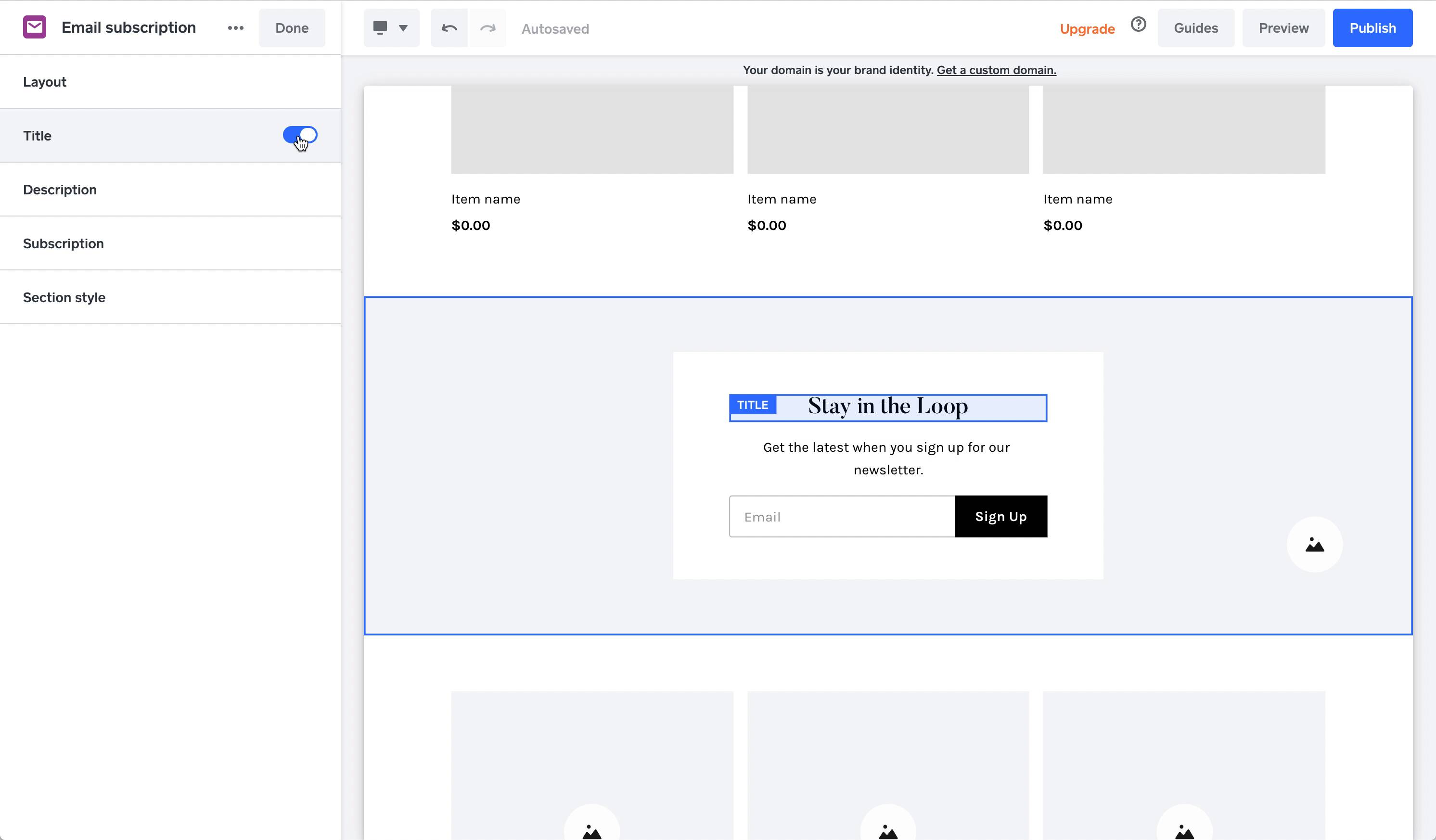
Adding a section
The only downside is that Square Online websites are not very customizable. These sections are cookie cutter. Customization is limited— you can toggle individual elements on and off but you can’t add additional elements!
You can toggle individual elements— but you can't add any new elements!
Square Online is really user friendly for website building. It’s a good fit if you’re not particularly comfortable with technology.
The best simple website builder is Square Online. It’s a really easy to use builder. You can get a website up with minimal effort.
The best one page website builder is Carrd. Carrd is great for basic websites— for example landing pages or resume websites.
Definitely Webflow.
Webflow is incredible. I use it for multiple websites.
It has a steep learning curve but once you learn it, it provides the same flexibility as front end coding. So if you can do it in code, you can do it in Webflow.
This means you get to design your website to look exactly how you want it to — no more searching for a design template that looks kinda like you want it to.
Here’s how my recommended website builders approach multilingual websites:
In general, you’ll probably want to avoid “automatic” translations. Visitors can already use their web browser to do that— a truly valuable multilingual experience requires content to be re-written.
Website builders almost all have the same pricing model: different plans available on monthly or annual terms. If you choose an annual term, you’ll likely get a free domain name for the first year.
Here are some things to know about costs and pricing:
The world of website builders is highly competitive and customers are price sensitive— so website builders all price their premium plans somewhat similarly.
Typical website builder plans start at around $16 / month. Most website builders include a free domain name for one year if you pay annually.
If you compare the cheapest one year plan (with no ads) of my recommended website builders, you can see that they are all around this price:
Graph: Cheapest plans with no ads plus the cost of a custom domain name.
Here is a few pricing tricks website builders will use to seem cheaper than they are:
Almost every website builder offers one year of a free custom domain name if you pay for an annual plan.
Just a heads up though: it’s often advertised as a free domain but it’s really just a free domain name for one year. Most website builders will begin charging you for the domain name in the second year even you if you continue to subscribe to an annual plan.
Most website builders will offer a money back guarantee. For example:
Ecommerce plans tend to be premium plans for website builders. You won’t find ecommerce in a basic plan— with the rare exception of Square Online.
Expect ecommerce plans to start at around $28 / month.
Website builders usually have a few features in premium plans that are designed to get you to upgrade from a basic plan. For example:
To get all the features you’ll need to upgrade to a premium plan.
This may shock you: most free website builders don’t want to give away something for free.
Most free versions have annoying limits that are designed to get you to upgrade, such as:
Website builders are a great way to create professional looking websites for cheap. They’ll always be more economical than hiring a custom web designer.
You can find my list of the cheapest website builders here.
Website builders don’t really want to give away cheap plans. So the cheapest plans often have something very limiting included in them.
For example, Carrd is the cheapest website builder but it’s limited to one-page websites. Similarly, Hostinger’s plans look really cheap on surface, but thy use inferior shared hosting to host customer websites.
Overall, more often than not, you get what you pay for.
Yes. It’s almost always worth paying for a website. You can build a website for free but it will likely have ads, bandwidth limitations and no domain name— not ideal.
Unfortunately, you’re not able to pay with PayPal for most website builders. They often require a credit card.
The Covid-19 pandemic accelerated the transition of retailers into ecommerce stores. Now every retailer is expected to offer online shopping and curbside pickup.
Website builders saw this opportunity and invested heavily in ecommerce features.
As a result, there are actually a lot of great options for ecommerce website builders — Shopify is the leader in this space but Squarespace, Wix and Square Online are getting competitive on ecommerce features.
Here’s what you should understand about choosing a website builder for your ecommerce site.
The best ecommerce website builder is Shopify.
If Shopify was a retailer, it’d be the 2nd largest online retailer in the US — Amazon would of course be first.
Shopify has grown because they’ve managed to combine intuitive software with powerful features— which is not easy to do.
Of website builders, Shopify is the most flexible ecommerce builder. You can build just about anything using Shopify.
The downside is Shopify isn’t always great for beginners: it has a learning curve and may require you to hire a developer. The drag and drop interface for building pages isn’t very easy to. use.
Squarespace and Square Online have ideal ecommerce tools for beginners.
Expect the unexpected when you start an online store — it can be deceptively complicated.
The ecommerce features and functionality you need to tend to increase as you get successful. Think of all the features you might end up needing:
This is why it’s important for an ecommerce website builder to have an App Store or App Market that let’s you add features when you need them.
There are actually two types of fees you may need to pay on top of transactions:
The credit card processor fee is inevitable. You need to pay a credit card processor fee in order to accept credit card payments. It typically starts at 2.9% + 30¢ per transaction.
You may be able to get lower transaction fees if you have a high volume of transactions but you’ll never be able to get no transaction fees.
The transaction fee is totally avoidable. Some website builders still charge a transaction fee on top of credit card providers but many stopped this.
For example, Shopify waves the transaction fee if you use their payment gateway, Shopify Payments.
Yes, ecommerce plans are almost always more expensive for website builders.
Occasionally ecommerce is included in lower-priced plans but watch that those plans don’t also have transaction fees— which can make ecommerce even more expensive. </div> </div>
Here’s a common question:
What’s the best website builder for SEO?
And here’s my answer: There is no best website builder SEO.
All of the top website builders I recommend have the important SEO functionality you’ll need to rank a website:
Some website builders do offer more advanced SEO features— for example, Squarespace has support for Google AMP. But overall the differences won’t move the needle in SEO.
If you want to do advanced SEO— for example, you want to embed recipe JSON markup— then I would suggest you look at WordPress, not a website builder.
An example of JSON markup.
All this being said, there are definitely some website builders that have limited SEO capabilities. They are typically the lowest ranked website builder on my list.
To be simplistic, there are four SEO features that are critical in a website builder. Think of them as the minimum required for Google to notice you:
1. Mobile Responsive Themes
Google has been saying for years that having a good mobile version of your website is critical for SEO (source).
Mobile phones represent the majority of website traffic— so this makes sense.
Fortunately, most website builders now do offer mobile responsive themes. Some, like Wix, offer a separate mobile editor, though I do have concerns about that.
2. Customizable Meta Titles and Descriptions
You need this.
Yet surprisingly, some website builders still don’t offer this!
Meta title and meta description are what Google often uses in their results:
Google uses your page's meta title and description in their results.
Putting your keyword in the meta title will help you rank for that keyword— though putting the keyword in your meta description won’t directly help you rank, instead meta description is important because it’s an opportunity to entice searchers to click on your webpage.
3. SSL
SSL certificates give websites the “secure” icon in a browser and add an ‘s’ to the http— making it https:
This site is secured by SSL.
This site is secured by SSL.
Google announced SSL as a ranking signal in 2014— and when Google explicitly announces something is a ranking signal, it’s usually good to implement it.
Most website builders include SSL in paid plans and some even include a free ssl certificate on free plans too.
4. Performance
Google has said that site speed is a signal they use to rank pages. Fortunately, website builders tend to have good performance infrastructure— especially the major website builders such as Weebly, Squarespace and Wix which host millions of websites.
The two best tools to check your website performance is Google Page Speed Insights and WebPageTest.org — you can use these to test out which is the fastest website builder.
Common questions around domains and email.
I’d recommend most people register their custom domain name through their website builder.
If you want to be extra safe you can register your domain name through a third-party provider (such as Namecheap) but that will require DNS configuration— which requires some technical understanding.
In the end, it’s not like website builders can hold your domain name hostage. They are your domain registrar— not the domain name owner. So if you decide to move your website off of a website builder you should always be able to take your domain name with you.
Most website builders provide an integration with Google Workspaces (the provider of Gmail). Each email address typically costs around $7 / user / month. (Google sets this price.)
It’s not cheap but it works— and so I typically do it that way!
This is a common question I get and admittedly, one of the downsides of a website builder.
It’s really difficult to move an existing website to another website builder without just manually copying text and images.
You might be wondering: Do website builders do this just to keep customers with them?
Not necessarily. There are good technical reasons why a website builder website can’t be moved:
If this is a problem for you, I’d suggest going to the next level in complexity and checking out a CMS like WordPress or a front-end design tool such as Webflow. Both are more complex but will let you export and move your website. </div> </div>
WordPress is not a website builder— it’s a content management system (or CMS).
It is the most used tool for creating websites but I stopped using WordPress about five years ago.
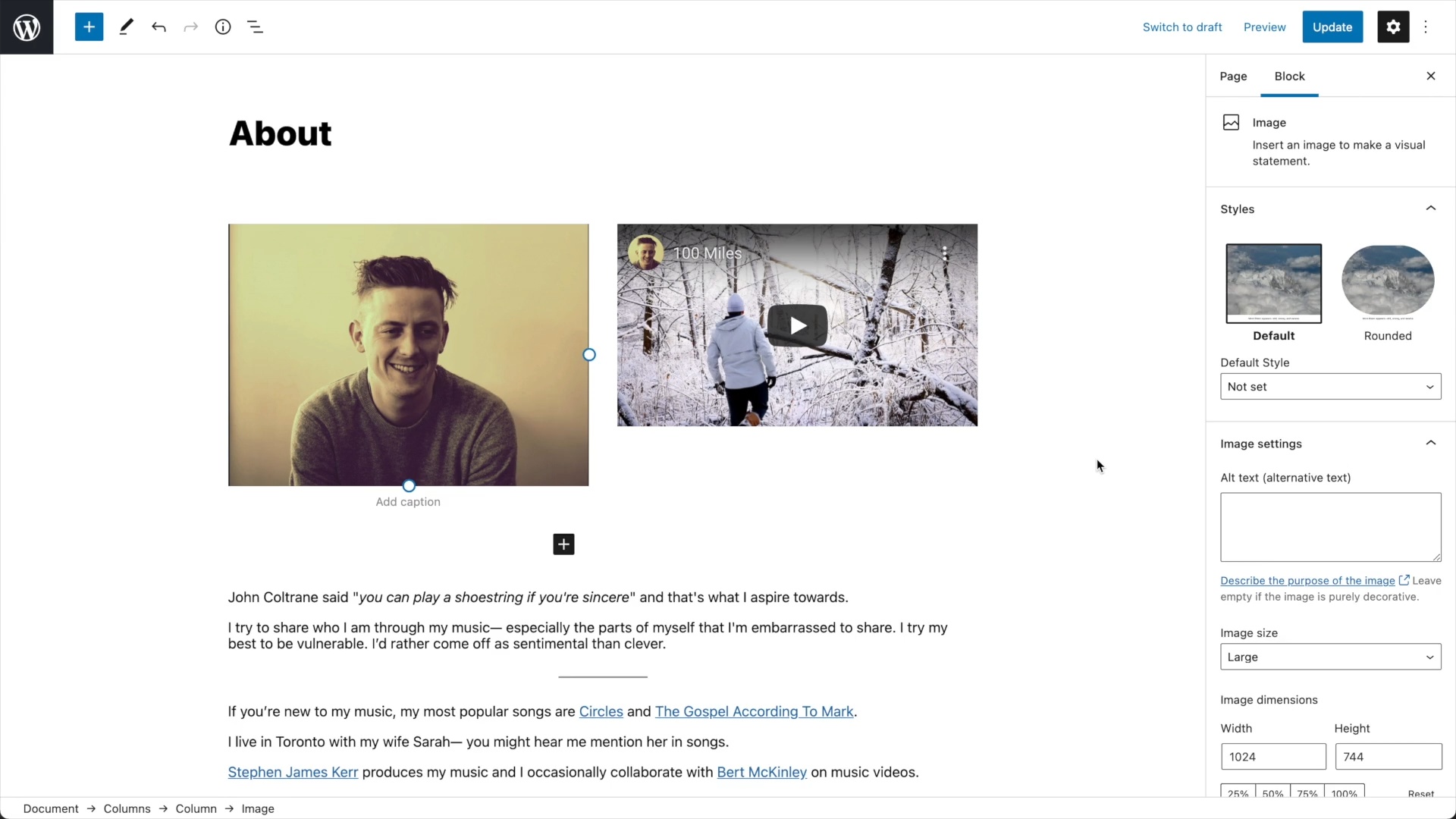
One of my biggest frustrations with WordPress editor is not being able to see a live preview as I create.
Here is a comparison of WordPress and website builders:
Website builders typically have drag-and-drop editors that are easy to use. WordPress’s page editor isn’t quite as intuitive. And while there are WordPress plugins (like Elementor) that try to make it more like a website builder, they always feel like a halfway solution.
Website builders include hosting. You don’t even have to think about it. WordPress needs to be installed on a 3rd party web hosting service. That’s just one technical thing I don’t want to have to think about.
Website builders typically just work and WordPress… rarely just works— especially when trying to integrate 3rd party WordPress themes and plugins.
You are in charge of keeping WordPress up to date— and it’s important that you do. Missing a security update can leave your website vulnerable to hackers. This is one more technical thing I don’t want to have to worry about and website builders automatically take care of security.
Since WordPress is open source there are tons of WordPress themes and plugins available.
WordPress is open source so you can code it to do whatever you’d like to— you could code your own template from scratch or even code your own ecommerce checkout flow.
With WordPress, it’s your own website. If you want to move to a completely new host, you can! You can’t do that with website builders (other than Tilda). Website builders provide hosting so you’re stuck with their host.
In the end, both WordPress and website builders may end up frustrating you— but for completely different reasons. Website builders just work but are less flexible. WordPress is more flexible but rarely just works.
If you’d like to read more, check out my Squarespace vs WordPress comparison.
Note: When most people say WordPress they mean WordPress.org — not WordPress.com. WordPress.com is a separate service built on top of WordPress that offers more of a website builder like experience.
Yes — you can install plugins like Elemontor that add drag and drop visual editing to WordPress — making it feel more like a website builder.
I would check out Kinsta for premium WordPress websites and SiteGround for entry level hosting.
Both hosts have strong reputations and include WordPress customer support.
I would avoid EIG owned hosts such as BlueHost and Dreamhost. You can learn more here. </div> </div>
In this section, we take a look at common marketing tools you might add to your website.
Google Analytics is the most common website analytics tool. It can be a bit intimidating to navigate but is more powerful than the analytics most website builders provide.
Some website builders only let you add Google Analytics in premium plans.
There is a growing privacy movement against Google Analytics — so you can explore alternatives such as Fathom Analytics that are respectful of privacy laws (like GDPR and more).
Website builders are no longer just for websites. Wix, Squarespace, GoDaddy, Square and Shopify all now include marketing tools like email marketing.
I’ve used emailing marketing in Squarespace and Shopify and was impressed with both! I think they would meet most business needs.
I still use Mailchimp as my primary email marketing tool because I like to customize my email designs in great detail. That being said, Mailchimp is also expensive!
Editing an email campaign in Squarespace.
Here are some SEO (search engine optimization) tools I use:
I generally avoid SEO tools that website builders offer— instead I use SEO tools from companies that purely focus on SEO.
Every website builder includes a contact form builder — but the power and flexibility differ between them.
These forms are commonly lead capture and sales tools. If you need marketing integrations you can always look at a third party provider such as FormSpree that integrates with automations from Zapier.
Live chat is extremely common on websites these days and many website builders (example: Shopify, Wix) have live chat you can add to your website.
The most important live chat feature is answering chats on a mobile phone. You never when you’re going to get a live chat message so being able to respond quickly on your phone is critical.
We live in a golden age of free stock photos! Here is a list of the best free stock photo websites. </div> </div>
Here are three examples of features that might be a dealbreaker for you:
Here’s how my recommended website builders approach multilingual websites:
In general, you’ll probably want to avoid “automatic” translations. Visitors can already use their web browser to do that— a truly valuable multilingual experience requires content to be re-written.
Great customer support can be difficult to get objective numbers on.
I’ve had fast, helpful customer support from Wix, Squarespace and Shopify. I’ve also had slow and unhelpful support from them. So it’s a bit anecdotal.
If phone support is important to you, know that not every website builder offers this— and mileage may vary on those that do. Wix includes phone support on their more expensive paid plans while Square Online includes phone support on all plans— even free plans.
Website builders try to include all the elements you need in a website— but what if they don’t?
Fortunately, there are lots of 3rd party software providers that have add-ons and widgets that you can add to your website.
Here are a few examples that you can embed through a custom code: